Since the end of June, HubSpot's MCP server can create, edit and publish landing pages. It can also pull analytics for every landing page, website page and blog post, not just pages tied to a campaign.
That's enough for a small agent that does a job most marketing teams mean to do and never get to: check the weakest landing pages every week and put a better version in front of someone.
Here's the spec, what the engineer builds, and what the marketer still decides.
The job
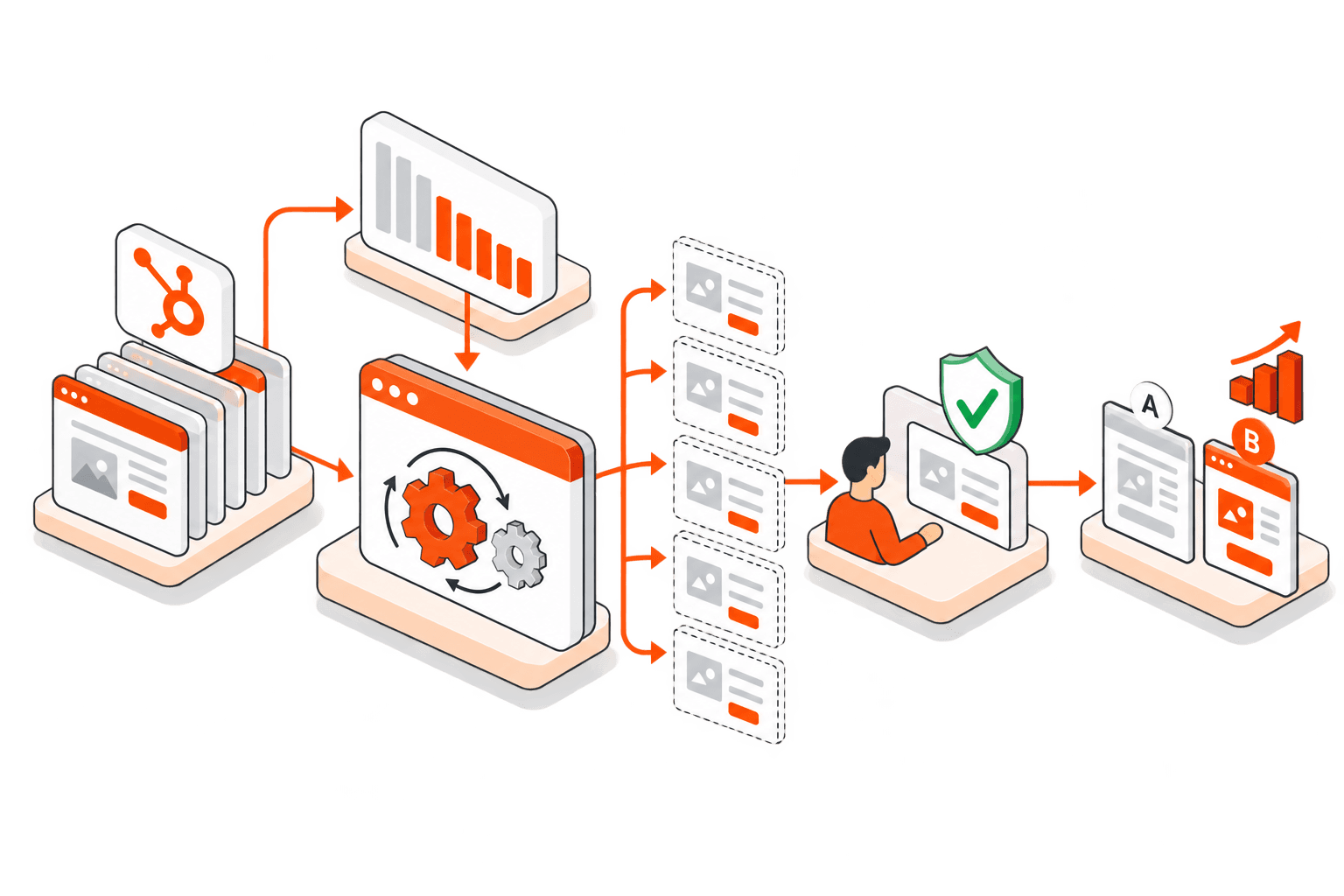
Once a week, the agent:
Pulls views and form submissions for every published landing page over the last 28 days.
Skips pages with too little traffic to judge.
Ranks the rest by conversion rate and picks the bottom five.
For each one, reads the page, writes a one-line guess at what's wrong (the headline doesn't match the ad, the form asks for too much, the CTA is below the fold), and makes a draft copy with one change.
Sends the team a summary: the page, its conversion rate, the guess, and a link to the draft.
Nothing goes live. A person opens the draft in HubSpot, fixes what the model got wrong, and decides.
What the MCP server gives you
Two tools do most of the work:
Analytics: views, form submissions, new contacts, bounce rate, CTA performance and traffic sources for any page or post.
Landing pages: create, clone, edit (copy, headlines, CTAs, sections, forms) and publish.
HubSpot also asks the user to confirm before the server creates a page from a template, publishes, or restores an old version. That's a good default for an agent, and it shapes the design below.
The catch: it can't set up A/B tests
HubSpot's release notes say this version doesn't support A/B test setup. So when the agent drafts a variant, you get a clone: a separate page with its own URL. A real A/B test is two versions of one page at the same URL, with traffic split between them. Publish the clone and you have a page no ad or link points to.
Two ways around it:
Keep the agent at drafts. Someone sets up the test in HubSpot's page editor, using the draft as the brief. This needs Content Hub Professional or Enterprise, and you pick the winner by hand.
Or have the engineer do this one step outside MCP, through HubSpot's CMS API, which can create a proper A/B variation of an existing page. The agent's edits go onto that variation. More work to build, but you get a real test.
One smaller gap: HubSpot only returns analytics for published pages, so the agent can't score its own drafts. That happens in a later run, once a test is live.
What the engineer builds
Access. Each MCP connection signs in as one HubSpot user and can do whatever that user can do. I haven't seen HubSpot document a service account for it. So create a dedicated HubSpot user for the agent, give it access to landing pages and little else, and connect as that user. Everything it changes then shows up in HubSpot's audit log under a name you'll recognise.
Guardrails. The agent never publishes. HubSpot's confirmation step helps, but don't count on the model to behave: if your setup lets you block tools, block publishing outright. Limit it to an approved list of pages, give every draft a clear name prefix, and allow one change per draft so a result means something.
The summary. The weekly summary is the product. Send it where the team already looks (Slack or email), with direct links to each draft.
Reconnecting. If HubSpot was connected before this update, reconnect it so it picks up the new permissions. Otherwise the first run fails.
What the marketer decides
What counts as a conversion on each page. A webinar sign-up is not a demo request.
The minimum traffic a page needs before it's worth testing.
Which pages are off limits: pricing, legal, anything mid-campaign.
Whether a variant ships, and when a test has run long enough to call.
The agent does the boring part: looking at every page, every week. The judgment stays with you.
You may not need to build this
If you only have a handful of landing pages with real traffic, skip the agent. Connect HubSpot to Claude or ChatGPT, ask for the same report once a month, and make the drafts in a chat. The agent pays off when you have so many pages that nobody ever looks at the bottom of the list.